
Messages SMS Text Home
Metamorph AI LabsCommunication
3.917.00 Reviews
- Version
- 1.1.2
- Installs
- 100.00K
- Age Rating
- Everyone
Screenshots

Our Review of Messages SMS Text Home
 Analysis by Appyee
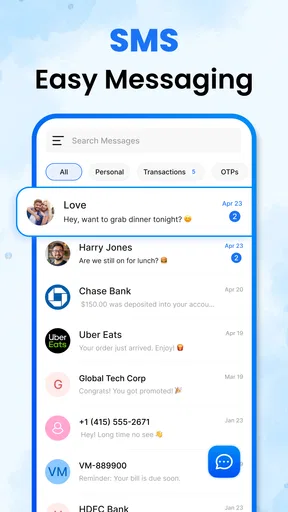
Messages SMS Text Home is a communication app from Metamorph AI Labs that puts SMS management on a deliberately simple home screen. I approached it as the kind of tool you open repeatedly during an ordinary day rather than as a feature-packed replacement for every messaging service. Its appeal is easy to understand: if your text conversations feel buried inside a busy phone interface, a focused starting point can make the basic task of checking and handling messages feel less distracting.
My overall impression is that this is best judged by how quickly it gets you to your SMS conversations, how comfortable it remains when your inbox is busy, and how dependable it feels when you return to it after interruptions. It is free to install, rated for Everyone, and has reached over one hundred thousand installs. The current release is version 1.1.2, while optional in-app purchases range from around six dollars to around thirty dollars per item. Those details make it approachable, but they also mean I would test the free experience carefully before paying for anything optional.
The app has a 3.9 average from roughly three hundred ratings, with around twenty written reviews. That is enough to suggest real usage, but not enough for me to treat the score as a complete verdict. In practice, SMS tools are especially dependent on the phone, operating system, default-app behavior, and the way a person organizes conversations. My experience of the concept is positive for users who want a cleaner entry point, with some important reservations for people who expect a full replacement for a mature messaging suite.
How the home-screen approach affects everyday speed
The strongest idea here is not a new way to send a text. It is the decision to make SMS the center of the opening experience. That distinction matters. A conventional phone may place messages alongside calls, contacts, media, settings, and other distractions. A dedicated SMS home makes the first decision simpler: open the app and deal with text conversations.
For me, perceived speed comes less from dramatic animation and more from reducing mental steps. If I want to check whether a delivery driver, school, bank, or family member has replied, I do not want to navigate through unrelated sections first. The focused layout gives the app a practical advantage in those short sessions where I only have a few seconds.
There is also a useful habit-building angle. When an app has one clear purpose, it becomes easier to place it in a predictable location and use it without thinking. I can imagine opening it while standing in a queue, checking a confirmation message, and closing it immediately. That kind of quick interaction is where a simple SMS interface makes more sense than a broader communication hub.
Still, simplicity is not automatically the same as speed. If the home screen becomes crowded with old threads, the benefit depends on how clearly conversations can be located and managed. A clean starting point helps most when the app continues to make the next action obvious. Users with a small inbox may notice the advantage immediately; users with years of accumulated texts will care much more about sorting, search, and conversation handling.
What feels quick in a real routine
Consider a realistic morning: I receive a one-time appointment reminder, a family text, and a service notification before leaving home. With a focused SMS launcher, I can review those threads without being pulled into social feeds or richer chat features. The practical gain is not that each message is magically processed faster. It is that the app keeps the task narrow.
That makes the product a good fit for people who use SMS as a utility channel. I would especially consider it for someone who wants texts separated mentally from internet-based chats, or for a user who finds a general-purpose messaging screen visually busy. It is less compelling for someone who wants stickers, group-chat tools, media sharing, or a unified inbox for every communication platform.
A useful personal workflow would be to treat the home screen as a triage point. I would open it, answer anything requiring a reply, archive or clear what no longer needs attention, and then leave. That prevents the inbox from becoming a passive storage area. The app’s value increases when I use its focused entry point to make a decision, not merely to glance at unread counts.
Heavy-use moments and the limits of a simple SMS tool
The more demanding test is not one incoming text. It is a busy period in which several conversations arrive close together. This can happen during travel, an event, a family emergency, or a workday filled with appointment changes. In those moments, a home-screen concept remains useful, but the quality of the experience depends on how well the app helps me distinguish urgent threads from routine ones.
I would not choose this app solely because the store summary promises easy SMS management. I would choose it if the actual conversation view stays understandable when the inbox is no longer tidy. A simple front door is valuable, but heavy use exposes whether the rest of the workflow is equally clear. The important questions for my routine are practical: can I identify the right thread without hesitation, return to an unfinished reply, and avoid sending from the wrong conversation?
There is a subtle trade-off here. A specialized SMS home can reduce clutter at the start, but specialization may also make me expect stronger organization tools than a standard messaging screen provides. If I receive many automated texts, short codes, appointment reminders, and personal conversations, I need a way to maintain order over time. Without that discipline, even a minimal interface can turn into a long list that feels difficult to scan.
My tip for heavy use is to separate “needs a response” from “needs to be retained.” Those are not the same thing. A confirmation code may matter for a minute, while a shipping update may be useful later, and a family conversation may deserve a longer record. I would avoid treating every thread equally. The app is most comfortable when I use it as an active inbox rather than an archive that I never clean.
Where the app may feel less efficient
People who regularly switch between SMS and internet messaging may find the focused approach less efficient than expected. I might open this app for a text, then move to another service for the same person, then return to a different communication tool for a group conversation. In that pattern, a unified messaging app can be faster overall because it keeps more channels together.
Likewise, users who depend on advanced composition, rich attachments, extensive conversation search, or broad notification controls should compare the experience carefully with the phone’s built-in messaging application. The usual alternative often has years of refinement behind it and may already match the device’s contacts, notifications, and system behavior more closely.
That does not make Messages SMS Text Home unnecessary. It gives the app a clearer audience. I see it as a front-end choice for people who value a dedicated SMS starting point, not as an automatic upgrade for every texting habit. The difference is important because the app’s simplicity is its main reason to exist, and simplicity can feel liberating or limiting depending on the workload.
Reliability, interruptions, and recovering from a broken routine
For a communication app, reliability is about more than opening successfully. I need confidence that I can return to a conversation after a call, a notification, a locked screen, or an accidental exit. I also want the app to fit naturally into the phone’s existing SMS behavior rather than forcing me to rethink how every message is handled.
My cautious view is that the app should be evaluated over repeated short sessions, not one impressive first launch. I would open it at different points in the day, move between conversations, leave it while another task takes over, and then return. That routine reveals whether the home-screen promise remains useful after the novelty disappears.
Recovery is particularly important for text messages because many of them are time-sensitive. If I begin composing a reply and get interrupted, I want to know where I was when I return. If I open a notification and then switch away, I want the conversation to remain easy to find. I would not assume that a simple interface automatically handles every interruption elegantly; I would test my own phone’s behavior before relying on it for urgent communication.
There is a sensible safety habit here: keep the existing phone messaging option available until the new workflow has earned your trust. I would not make a new SMS interface my only route on the first day. I would first use it for ordinary conversations, verify that sending and receiving fit my expectations, and then decide whether it deserves a permanent place on the home screen.
Stability should be judged in context
The app runs on devices using at least Android version ten, which gives it a relatively broad modern-device range. That does not mean every phone will deliver the same experience. Manufacturers can change background behavior, notification handling, battery management, and default-app rules. Two phones with the same minimum operating-system requirement can still behave differently during long periods of inactivity or aggressive power saving.
For that reason, I would pay attention to practical signs rather than chase a theoretical performance score. Does the app reopen where I expect? Do notifications lead me to the correct conversation? Does returning from another application feel consistent? Does the interface remain responsive when the inbox contains many threads? These are the details that determine whether I keep a communication app installed.
If something goes wrong, my recovery plan would be straightforward: reopen the app, check the conversation list, confirm the message status through the normal phone workflow, and use the system’s established messaging route if necessary. That is not a criticism unique to this product; it is sensible caution whenever an app sits close to an essential communication task.
Device constraints, resources, and who should be careful
Messages SMS Text Home is not presented as a media-heavy social platform or an elaborate productivity suite. That makes it reasonable to expect a lighter everyday workload than from apps that constantly process video, audio, or large feeds. Even so, I would avoid promising that it uses negligible resources on every device. Resource use can vary with the phone, the number of conversations, notification behavior, and how the operating system manages background activity.
Older supported phones deserve a little extra patience. A device running Android ten may handle the app comfortably, but available memory, storage pressure, and manufacturer-specific background limits can still influence how quickly an application returns after being left idle. If my phone already struggles to keep ordinary apps open, I would not assume that changing the SMS front end will solve the underlying problem.
Battery-conscious users should also think about the role they want this app to play. A communication interface should not encourage me to keep reopening it unnecessarily just to monitor activity. I would use the phone’s notification system as the signal that something needs attention, then open the app for the actual conversation. That workflow is more efficient than repeatedly checking an inbox without a clear reason.
Privacy-minded users have a different decision to make. SMS conversations can contain appointment details, verification messages, addresses, and personal information. I would read the app’s current permissions and privacy explanations on the store or device before making it central to my messaging routine. The simple design may feel reassuring, but the appearance of an interface does not by itself explain how an app handles sensitive content.
The age rating of Everyone makes the app broadly approachable, but that should not be confused with suitability for every communication need. A child, an older relative, a small business owner, and a heavy group-chat user may all need very different workflows. The rating describes accessibility, not whether the app offers the depth or safeguards a particular person expects.
When the usual alternative is better
I would stay with the phone’s built-in SMS application if it already gives me a clear inbox, dependable notifications, strong contact integration, and the composition tools I use every day. The built-in option has a practical advantage: it is usually designed around the device itself, so changing it may introduce another layer without solving a real problem.
I would also skip this app if my main communication happens through internet-based services. A dedicated SMS home cannot make non-SMS chats appear in the same place unless those services are separately supported, and I would not assume that they are. For a person whose conversations are spread across several platforms, a unified app or the existing tools for each service may be the less frustrating choice.
On the other hand, I would recommend trying it when the problem is specifically access to SMS. If I want a calm, recognizable place for texts, dislike a cluttered default interface, and mostly communicate through standard messages, the app’s narrow purpose becomes a strength rather than a weakness.
My performance verdict after weighing the whole workflow
Messages SMS Text Home succeeds most clearly as a focused communication doorway. Its likely performance advantage is perceived rather than spectacular: fewer distractions, a more direct route to SMS, and a routine that can feel quicker because it asks me to make fewer interface decisions. That is a meaningful benefit for short, repeated checks throughout the day.
I would describe its stability prospects as reasonable but context-dependent. The broad minimum of Android ten makes it accessible to many current devices, while the modest scope suggests a less demanding role than a media-rich application. Still, I would judge it on my own phone, especially if I rely on delayed notifications, use aggressive battery saving, or keep a large and busy message history.
The most useful non-obvious lesson is that a simple home screen does not remove the need for inbox habits. I would get the best results by using it for quick triage, keeping urgent replies visible, and avoiding the temptation to let every automated message accumulate forever. The second is to test interruption recovery before depending on it for time-sensitive texts. The third is to compare the complete routine, not just the opening screen, with the phone’s built-in option.
Metamorph AI Labs has positioned this as a free app, so trying it is relatively easy. Optional purchases sit between around six dollars and around thirty dollars per item, which makes it especially important to decide whether the core workflow genuinely improves my day before spending money. I would use the free experience long enough to cover quiet periods, busy message bursts, and a few interrupted sessions.
My final recommendation is selective but positive. I would suggest it to someone who wants SMS to feel like a dedicated, uncluttered part of the phone and who values quick access over a long list of advanced communication features. I would steer heavy group-chat users, people who need one inbox for multiple services, and anyone already satisfied with a strong built-in messenger toward staying with that familiar tool.
The best reason to install it is not that it promises to transform texting; it is that it may make ordinary SMS feel easier to reach and easier to keep separate from everything else. If that is the friction I am trying to remove, this app is worth a careful trial. If my real problem is advanced messaging, cross-platform conversation management, or device-level reliability, a different option will probably serve me better.
Verdict
Strengths of Messages SMS Text Home
- Clean, familiar interface makes everyday texting easy to manage.
- Supports quick access to conversations from the home screen.
- Useful customization options for themes, colors, and chat appearance.
- Conversation search helps locate older messages more quickly.
- Lightweight design generally uses fewer resources than feature-heavy messengers.
Limitations of Messages SMS Text Home
- Some personalization features may require in-app purchases.
- Advanced messaging features depend on carrier and device compatibility.
- Ad-supported elements can reduce the overall visual polish.
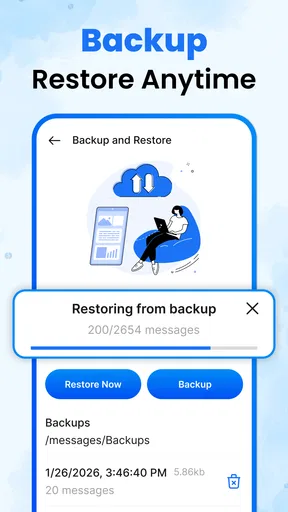
- Backup and message transfer options may be less comprehensive than competitors.
- Privacy protections depend partly on your phone’s security settings.
Similar Picks in This Category
View All
Google Messages
Google LLC4.6

Gmail
Google LLC4.1

Google Meet
Google LLC4.4

Google Chrome
Google LLC4.1

WhatsApp Messenger
WhatsApp LLC4.6

Carrier Services
Google LLC4.2
Frequently Asked Questions
What is Messages SMS Text Home, and what does it do?
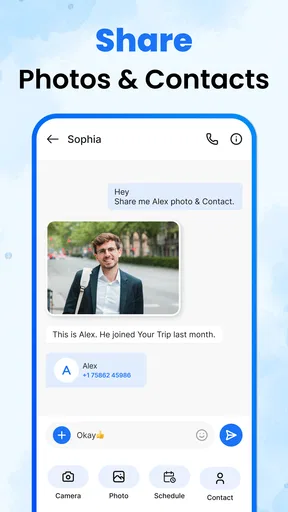
Messages SMS Text Home is a messaging application designed to manage traditional SMS and MMS conversations from a customizable interface. After installing it, users can read, send, and organize text messages, while also adjusting the app’s appearance and notification behavior. It is mainly intended for carrier-based messaging rather than internet chat services such as WhatsApp or Messenger.
Does Messages SMS Text Home require an internet connection?
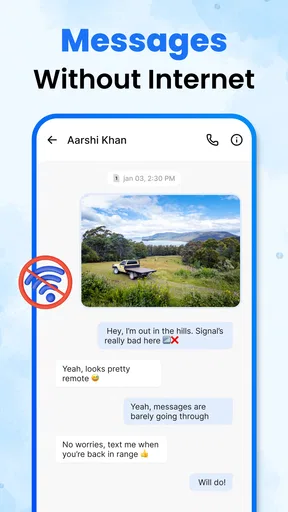
A constant internet connection is generally not required to send or receive standard SMS messages because those messages use your mobile carrier’s network. However, MMS messages, media sharing, app downloads, updates, backups, advertisements, or optional online features may require mobile data or Wi-Fi. Your carrier may also charge separately for SMS, MMS, or data usage according to your plan.
Can Messages SMS Text Home be used as the default SMS app?
On compatible Android devices, Messages SMS Text Home may be selected as the default application for handling SMS and MMS conversations. Making it the default app allows it to manage incoming messages and compose new ones more directly. The exact option depends on your Android version, device manufacturer, and existing messaging applications. iOS users should check platform limitations before downloading.
Are my messages private and secure in Messages SMS Text Home?
Messages SMS Text Home should not automatically be considered an end-to-end encrypted messenger. Standard SMS and MMS messages are normally handled through your mobile carrier and may not provide the same privacy protections as secure internet messaging apps. Before using the application for sensitive conversations, review its privacy policy, requested permissions, data practices, and whether backups or analytics are enabled.
What permissions does Messages SMS Text Home need, and is it free?
As an SMS-focused application, Messages SMS Text Home may request access to messages, contacts, phone functions, notifications, and storage or media, depending on the features available on your device. These permissions support sending, receiving, and displaying conversations, but you should review them carefully. The app may be free to install while including advertising, optional purchases, or carrier messaging charges.
